Looking for the best project management tool? This in-depth comparison between Datalexing and ClickUp covers key differences in features, automation, dashboards, and team management. Datalexing is a Saudi AI-native Work OS with full Arabic language support and local hosting compliant with SDAIA standards, while ClickUp offers a versatile global platform. Discover which tool fits your team for collaboration, performance tracking, and data analytics. Compare pricing, plans, and capabilities to make the right decision for managing your projects efficiently.
Modern businesses—those with huge in-person offices, those working remotely, and every other one in between—are run on the cloud. A lot of software is used in the process, but none is more ubiquitous than productivity tools that combine task management, note-taking, and workspace collaboration.
Whether it’s building internal wikis, policy documents, tracking project progress, or managing team tasks, every team—HR, marketing, product, sales, and others—uses productivity tools every day, and some rely on them all day long.
That’s why it’s important to pick a tool that’s easy to use, flexible, and adaptable to suit a variety of use cases across all teams. If streamlining collaboration, centralizing data, and maximizing productivity are your priorities, a cloud-based productivity platform becomes a must.
And if it comes with advanced features like automation, integrated dashboards, and secure hosting, that’s icing on the cake.
In this article, we’ll compare two leading options in the productivity and workspace management space, ClickUp and Datalexing, so you can identify which tool works best for your business in 2025.
What is Datalexing?
Datalexing is AI-native Business Work OS designed to cater to a wide range of users, from individuals to teams across various industries. It simplifies project management, task organization, and workspace coordination with its intuitive interfaces and easy-to-use features.
This all-in-one tool makes it effortless to track tasks, set goals, manage data, and automate workflows. Whether you’re a beginner or an experienced professional, Datalexing’s simple yet powerful design ensures that everyone can get the most out of it.
With features like Kanban boards, real-time collaboration, advanced dashboards, and interlinked tables, Datalexing provides everything you need to stay organized and productive. It’s fully customizable and supports the Arabic language, with localized hosting to meet regional requirements, making it a perfect fit for users in Saudi Arabia and beyond.
Datalexing bridges simplicity and functionality, offering a tool that anyone can use to streamline their projects, enhance collaboration, and achieve their goals with ease.
Datalexing Features
Let’s look at some of Datalexing best project management features and how they help you manage your goals, tasks, and resources well.
Table
Datalexing Tables: Key Features and Benefits
Datalexing tables are one of the most powerful tools that enable teams to organize and manage data with exceptional efficiency and flexibility. These tables are fully customizable, allowing users to tailor them to their unique needs, regardless of the nature of their work or industry. They feature diverse column inputs, interlinked tables to prevent data duplication, easy organization and display of data using various views, and precise permission management to align with the team’s workflow.
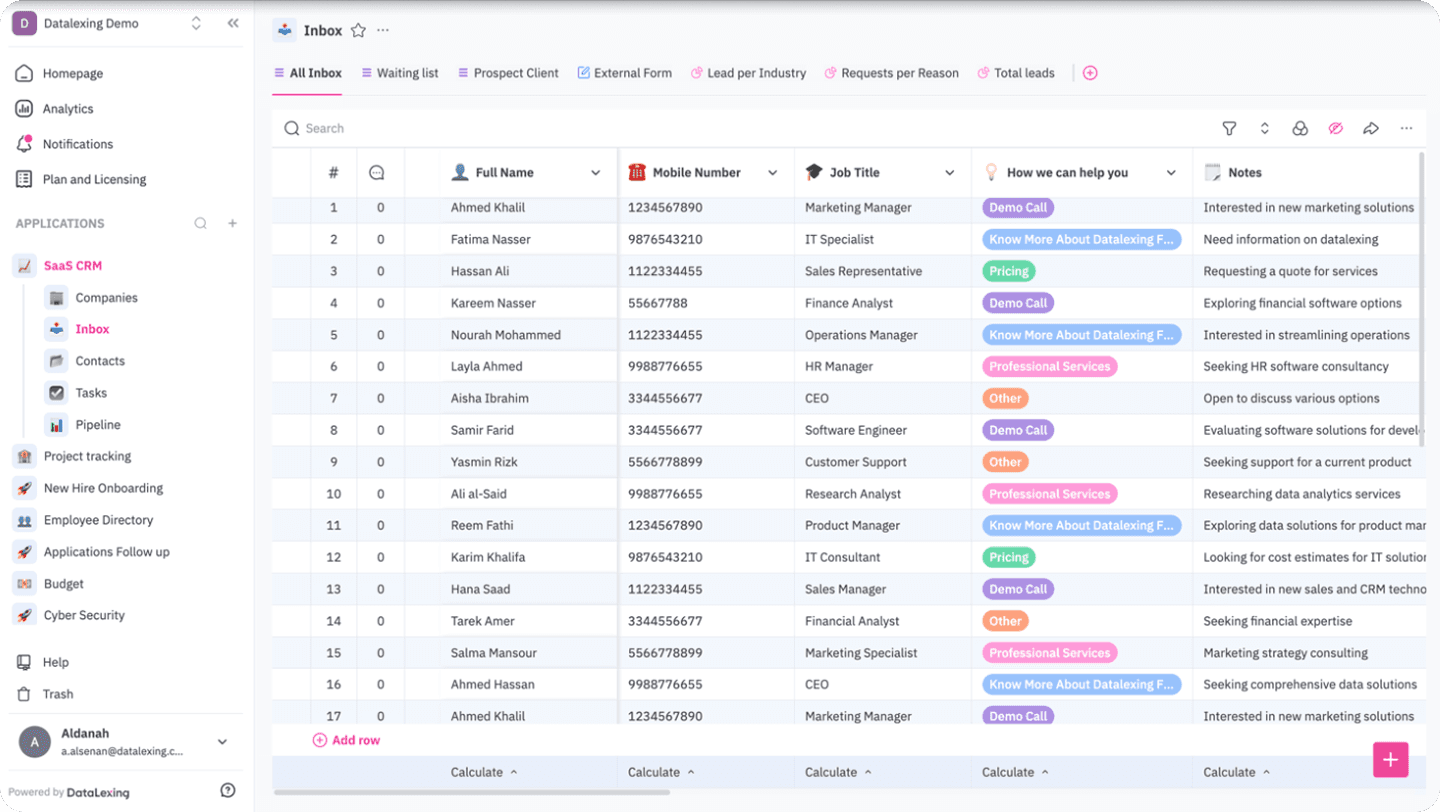
Key Features of Datalexing Tables:
Diverse Column Types:
Datalexing tables support a wide range of data types, including text, numbers, dropdown lists, dates, links, images, and checkboxes. With over 25 custom input types, including AI-powered inputs, users can organize data with precision, efficiency, and increased productivity.
Interlinked Tables:
Users can link multiple tables to unify and simplify access to data. This feature eliminates data duplication, enhances integration across departments, and speeds up access to information without the need to navigate between different tables.Easy Data Management:
Datalexing provides advanced filtering and sorting tools, enabling users to search, retrieve, and extract critical information quickly and effortlessly.Full Customization:
The platform allows users to create flexible, fully adjustable tables, from column types to inputs and display settings, meeting the needs of diverse teams and workflows.Support for Complex and Diverse Data:
Teams can input complex and diverse data into organized formats, making it easier to track tasks, manage projects, and maintain detailed information without losing any critical data points.Permission Control
Datalexing supports precise permission settings within tables, allowing administrators to define who can view or edit data. This ensures the protection of sensitive information and improves data security.Multiple Visual Display Options
Tables in Datalexing support a variety of display options, including Grid View, Kanban Boards, and Gallery View, enabling teams to choose the most suitable way to display and interact with their data.
Localization
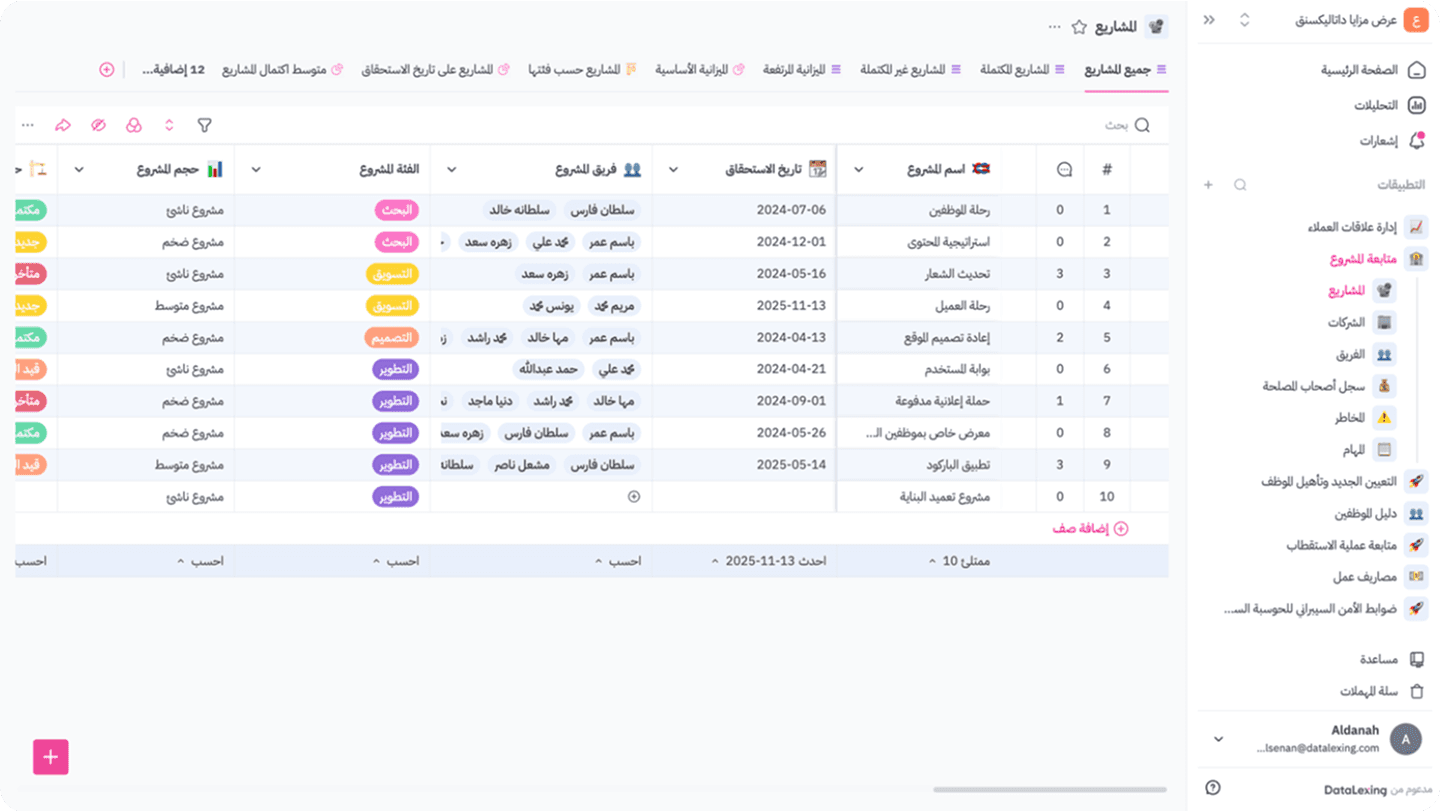
Datalexing excels in localization, offering full Arabic language support, right-to-left (RTL) interface direction, and local data hosting on servers within Saudi Arabia. This ensures compliance with local regulations and provides a seamless experience for users in the Middle East.
The platform’s deep understanding of the regional market extends beyond language and data hosting. It includes features tailored to local needs, such as support for local currencies and dual calendar systems. Datalexing’s commitment to localization ensures a natural and intuitive user experience for Arabic-speaking users.
One of Datalexing’s standout localization features is its local data hosting within Saudi Arabia. This approach complies with local cybersecurity requirements, such as those set by the National Cybersecurity Authority, ensuring the highest levels of data security and sovereignty. Organizations benefit from peace of mind, knowing their data remains within national borders, enhancing trust and data protection.
Datalexing’s localization capabilities make it a leading example of how productivity tools can be adapted to serve specific regional needs effectively, offering unmatched flexibility and compliance for businesses in the Middle East.
Ease of Use and Boosting Productivity
Datalexing stands out with its simple, user-friendly interface, making it the perfect tool for users of all levels, whether beginners or experienced professionals. The platform is designed to be intuitive, allowing individuals and teams to learn and start using it quickly without extensive training, helping them focus on their tasks instead of struggling with complex systems.
Datalexing is user-friendly in every sense; it provides a flexible and integrated workspace that makes managing tasks and data seamless. With its advanced tools, it can handle complex data efficiently, organizing it in a clear and structured way. Features like interlinked tables and process automation reduce the time and effort spent on routine tasks, allowing users to work smarter, not harder.
Moreover, Datalexing increases individual and team productivity by simplifying workflows and ensuring quick access to necessary data. It offers diverse viewing options like Grid and Kanban, enabling users to work in the way that suits them best. Its ability to handle large-scale and complex projects effortlessly makes Datalexing a reliable partner for teams aiming for higher performance and faster results.
Datalexing Pricing
Datalexing offers tiered plans tailored to meet the needs of various organizations, ensuring robust project management capabilities and local hosting in Saudi Arabia. The price-to- feature ratio is competitive, making it a great choice for teams seeking a localized and secure solution.
Growths: 59 SAR/month per user Includes:
50,000 rows of data.
20 GB of storage.
Collaborative workspace for teams.
Local data hosting in Saudi Arabia.
Instant live reports without preparation.
Pro: 119 SAR/month per user (Minimum 5 users) Includes all features of Growths, plus:
500,000 rows of data.
100 GB of storage.
Up to 5,000 attachments per month.
50 webhooks.
Priority support and professional service level agreements.
Enterprise: Available only with an annual plan (Minimum 20 users) Includes all features of Pro, plus:
5,000,000 rows of data.
1 TB of storage.
Single Sign-On (SSO).
Audit records.
Dedicated servers and account manager All listed prices refer to the yearly billing.
What is ClickUp?
ClickUp is a task and project management tool designed to simplify work organization and enhance team productivity. The platform combines task management, performance tracking, and workspace customization, enabling users to improve workflows and coordinate efforts across different teams in one place. ClickUp stands out with its feature-rich interface and integration capabilities with multiple tools, making it suitable for teams seeking comprehensive organizational solutions. However, some users may find the abundance of features overwhelming or challenging to learn quickly.
ClickUp Features
Tables
ClickUp provides a flexible table system that allows users to input and organize data efficiently. The tables support various column types, including text, numbers, dropdown lists, and dates, making data management more structured and organized. Additionally, users can link data between tables to provide a unified view of projects.
While the tables are feature-rich, customization may feel complicated for new users and may require time to set them up optimally. However, the number of input types is somewhat limited, which can cause data entry challenges. If additional input types were introduced, the tables could become an even more powerful tool that enhances productivity and data organization for teams.
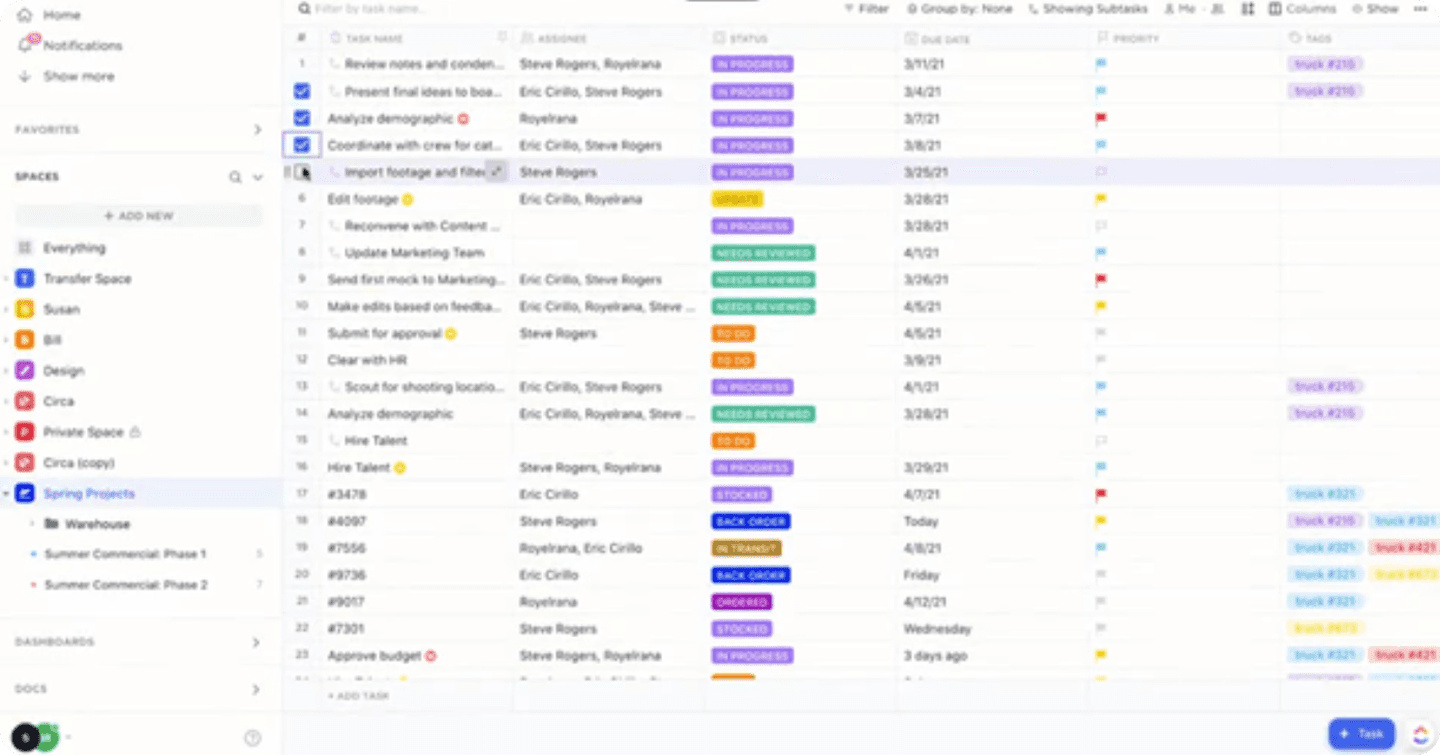
This image and its content are sourced from ClickUP. All rights reserved to their respective copyright holders.
Localization
ClickUp offers multilingual support, making it accessible to users worldwide. However, the localization primarily focuses on language support, excluding Arabic. It does not provide a fully integrated experience tailored to specific regions. For example, ClickUp does not perfectly support right-to-left (RTL) text alignment, which makes it challenging for Arabic-speaking users to interact with the platform seamlessly.
Ease of Use and Productivity Enhancement
ClickUp is designed to be an all-in-one tool, but the complexity of its interface can make it time-consuming for beginners to learn. New users may find it difficult to navigate the numerous features and the somewhat cluttered interface.
ClickUp aims to enhance productivity by integrating task management, progress tracking, and workflow automation into a single platform. Its diverse tools, such as Kanban boards, timelines, and dashboards, provide a clear overview of project statuses. When used effectively, ClickUp creates an integrated work environment that saves time and coordinates efforts, making it an efficient tool for teams striving to achieve their goals with greater efficiency.
Despite its ability to improve productivity, the abundance of notifications and options can sometimes overwhelm users and reduce focus. However, settings can be adjusted to customize notifications and optimize the user experience.
ClickUP Pricing
Free Forever.
Unlimited: $10/month per user.
Business: $19/month per user.
Enterprise: Contact for pricing.
ClickUP AI is available on all paid plans for $5 per Workspace member per month.
ClickUP Pricing
Free Forever
Unlimited: $10/month per user.
Business: $19/month per user.
Enterprise: Contact for pricing.
ClickUP AI is available on all paid plans for $5 per Workspace member per month.
Tables:
Datalexing:
Datalexing tables excel in flexibility, supporting over 25 input types, including text, numbers, drop-down lists, and smart elements powered by AI. Users can link tables together to reduce data redundancy, providing an integrated and accurate view of projects. Its ease of use ensures effective handling of complex data.
Who Wins? Datalexing wins in managing structured and complex data thanks to its high flexibility and advanced customization.
ClickUp:
ClickUp offers flexible tables that support multiple column types for organizing data. However, table customization can be challenging for new users, and the number of input types is limited compared to Datalexing.
Localization:
Datalexing:
Datalexing leads in full localization, providing perfect Arabic language support with a right-to-left (RTL) interface. It also ensures local data hosting on servers within Saudi Arabia, making it the ideal choice for companies focused on compliance with regional regulations and data protection.
ClickUp:
ClickUp supports multiple languages but does not fully support Arabic, as it lacks a right-to-left interface. It relies on global servers for data hosting, which could be a challenge for companies requiring local hosting to meet regional standards.
Who Wins? Datalexing wins with its comprehensive Arabic support and local hosting.
Ease of Use and Productivity Enhancement:
Datalexing:
Datalexing provides a simple and intuitive interface, making it easy to learn for users at all levels. The platform increases productivity by streamlining processes, connecting data, and offering flexible tools like Kanban boards and interactive tables, which accelerate task completion and save time.
ClickUp:
ClickUp is a powerful and feature-rich tool, but its busy interface and abundance of options may overwhelm new users, requiring a longer learning curve. However, once users adapt, it offers effective tools like automation, task tracking, and dashboards to enhance productivity.
Who Wins? Datalexing excels in ease of learning and flexibility, while ClickUp is powerful but requires more time to master.
ClickUP Vs. Datalexing: Who Wins? Who Loses? You Decide
When choosing a tool to enhance productivity and organize workflows, ClickUp and Datalexing both offer unique user experiences. Each platform has its strengths, but the right tool depends on your needs and work environment:
ClickUp provides a comprehensive suite of tools for managing complex projects, but its crowded interface and numerous features may confuse new users.
Datalexing stands out for its flexibility and ease of use, with full Arabic language support, a right-to-left interface (RTL), and local data hosting to ensure compliance and security.
If you’re looking for an easy-to-learn tool that boosts productivity and aligns with local work environments, Datalexing is the ideal choice.
ClickUP Vs. Datalexing: The Better Productivity Tool
Boosting productivity requires tools that combine clarity and flexibility, and this is where ClickUp and Datalexing compete.
Datalexing delivers a seamless and quick learning experience, enabling teams to work more efficiently through interlinked tables, automation, and strong integrations. It also supports Arabic-speaking teams with local solutions that meet security requirements.
ClickUp is rich in features and suits large teams managing complex projects, but the overwhelming details can distract users and reduce productivity, especially at the beginning.
If you aim for quick results and seamless management of complex data with an easy interface, Datalexing undoubtedly wins as the best productivity tool.
Share